
Recently we had to add a expand collapse icons for the navigation menu on mobile devices in our WordPress theme. We can not use pseudo-classes :after and :before as they are not part of the dom and any events registered on them won’t work. So for our mobile menus, we added a <span> tag like
jQuery/Javascript click event not working on and elements in iOS Safari webkitAdding dynamic classes to your custom WordPress widgets
I recently released an ad management plugin for WordPress called “Easy AdSense Ads & Scripts Manager“. In this plugin we have a custom widget with option to remove the padding and borders (if any) added by the theme. I did not think much before implementing this feature and was expecting WordPress to have some kind of hook
Sending email from docker through Postfix installed on the host
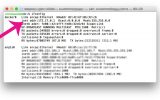
We use MUP to deploy our Meteor app, NYBR. MUP creates three docker containers for running the meteor app, nginx reverse proxy and mongo. Like most applications, the need for sending the email came, ideally we should be using Amazon Web Services SES, but getting their approval was a pain in the @$$ and was taking
error: command ‘cc’ failed with exit status 1; Can’t install PIL, Pillow, MySql and other packages in Mavericks.
If you are getting the following error when installing python packages using PIP or easy_install, don’t worry. You have come to the right place for solution. First make sure you have developer tools installed. You can install them by executing the following command in terminal xcode-select –install The clang errors are due to changes introduced in
2 Common errors while setting up phpMyAdmin on Mac OSX
You might encounter the following two errors while installing phpMyAdmin on OSX Login without password is forbidden by the configuration ( See AllowNoPassword ) #2002 can not login tot the MySQL server Here are the fixes for the above two errors. 1. Open phpMyAdmin configuration located at (phpMyAdmin Folder)/config.inc.php and change $cfg[‘Servers’][$i][‘AllowNoPassword’] = False; to
Unable to connect mysql on OSX form PHP
If you are unable to connect to mysql from PHP and you are sure that MYSQL is running, then try changing your host name from localhost to 127.0.0.1
Django | Set the defulat ordering rule for queries in the models
Though we can specify order explicitly in queries like below Posts.objects.order_by(‘published’) it is repetitive and most of the times we will want to order by a particular field. We can specify the order in the models like this class Post(models.Model): title = models.CharField(max_length=140) content = models.TextField() published = models.DateTimeField() def __unicode__(self): return self.title class Meta:
Restrict Django Templates From Deleting Data.
Django allows method calls inside template system. Though this is an useful feature, some of the methods will have side effects. Mostly the ones that alter data. Say, for instance, you have a UserAccount object that has a delete() method. If a template includes something like {{ account.delete }}, where account is a UserAccount object,
What do Dollar and Caret ( $ and ^) sign in Django urls mean?
$ and ^ are regular expression characters that have a special meaning: the caret means “require that the pattern matches the start of the string,” and the dollar sign means “require that the pattern matches the end of the string.” For example consider the following url pattern urlpatterns = patterns(”, url(r’^hello/$’, hello), ) Without the
Right way to break Django code for debugguing
Django traceback is a very helpful tool in Django development. It saves us from the boring tasking of writing print statements to track variables. Traceback doesn’t kick when there is no error. There may be no coding errors but there is a flaw in our application logic which we want to debug. In such cases
Adding dynamic classes to your custom WordPress widgets
I recently released an ad management plugin for WordPress called “Easy AdSense Ads & Scripts Manager“. In this plugin we have a custom widget with option to remove the padding and borders (if any) added by the theme. I did not think much before implementing this feature and was expecting WordPress to have some kind of hook
Sending email from docker through Postfix installed on the host
We use MUP to deploy our Meteor app, NYBR. MUP creates three docker containers for running the meteor app, nginx reverse proxy and mongo. Like most applications, the need for sending the email came, ideally we should be using Amazon Web Services SES, but getting their approval was a pain in the @$$ and was taking
error: command ‘cc’ failed with exit status 1; Can’t install PIL, Pillow, MySql and other packages in Mavericks.
If you are getting the following error when installing python packages using PIP or easy_install, don’t worry. You have come to the right place for solution. First make sure you have developer tools installed. You can install them by executing the following command in terminal xcode-select –install The clang errors are due to changes introduced in
2 Common errors while setting up phpMyAdmin on Mac OSX
You might encounter the following two errors while installing phpMyAdmin on OSX Login without password is forbidden by the configuration ( See AllowNoPassword ) #2002 can not login tot the MySQL server Here are the fixes for the above two errors. 1. Open phpMyAdmin configuration located at (phpMyAdmin Folder)/config.inc.php and change $cfg[‘Servers’][$i][‘AllowNoPassword’] = False; to
Unable to connect mysql on OSX form PHP
If you are unable to connect to mysql from PHP and you are sure that MYSQL is running, then try changing your host name from localhost to 127.0.0.1
Django | Set the defulat ordering rule for queries in the models
Though we can specify order explicitly in queries like below Posts.objects.order_by(‘published’) it is repetitive and most of the times we will want to order by a particular field. We can specify the order in the models like this class Post(models.Model): title = models.CharField(max_length=140) content = models.TextField() published = models.DateTimeField() def __unicode__(self): return self.title class Meta:
Restrict Django Templates From Deleting Data.
Django allows method calls inside template system. Though this is an useful feature, some of the methods will have side effects. Mostly the ones that alter data. Say, for instance, you have a UserAccount object that has a delete() method. If a template includes something like {{ account.delete }}, where account is a UserAccount object,
What do Dollar and Caret ( $ and ^) sign in Django urls mean?
$ and ^ are regular expression characters that have a special meaning: the caret means “require that the pattern matches the start of the string,” and the dollar sign means “require that the pattern matches the end of the string.” For example consider the following url pattern urlpatterns = patterns(”, url(r’^hello/$’, hello), ) Without the
Right way to break Django code for debugguing
Django traceback is a very helpful tool in Django development. It saves us from the boring tasking of writing print statements to track variables. Traceback doesn’t kick when there is no error. There may be no coding errors but there is a flaw in our application logic which we want to debug. In such cases